When submitting a pull request, it’s highly suggested to squash your commits down to a few, or one, discreet changesets.
To do that, the below example shows the detailed steps:
Now I have added three commits in a Git repository as below
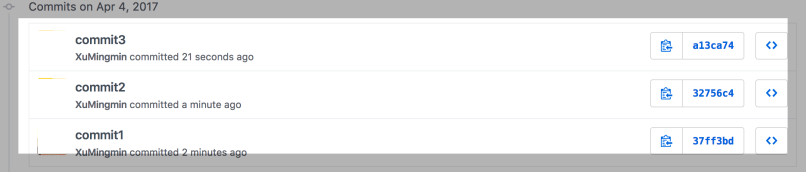
Next, let’s start the squash. First go to the home folder of git repository. Then run the command
# there're 3 commits, so `HEAD~3` here
git rebase -i HEAD~3
You can see below prompted message
pick 37ff3bd commit1
pick 32756c4 commit2
pick a13ca74 commit3
Change the word pick to squash except the first line, like
pick 37ff3bd commit1
squash 32756c4 commit2
squash a13ca74 commit3
After save a new commit is ready, and you can update with another commit comment like:
squash 3 into 1
# This is a combination of 3 commits.
# This is the 1st commit message:
commit1

# This is the commit message #2:

commit2

# This is the commit message #3:

commit3
Now run the git push command
git push --force
Now in git repository, you would find that the previous 3 commits are replace by one squashed commit.


